The best desk fans for a workspace range from USB-powered personal models to AC table fans that can circulate air across a wider area. Choose based on where the fan will sit, whether you need outlet-free placement, and how much airflow control your desk setup needs.
Quick Top Products
Gaiatop 5-Inch Desk Fan
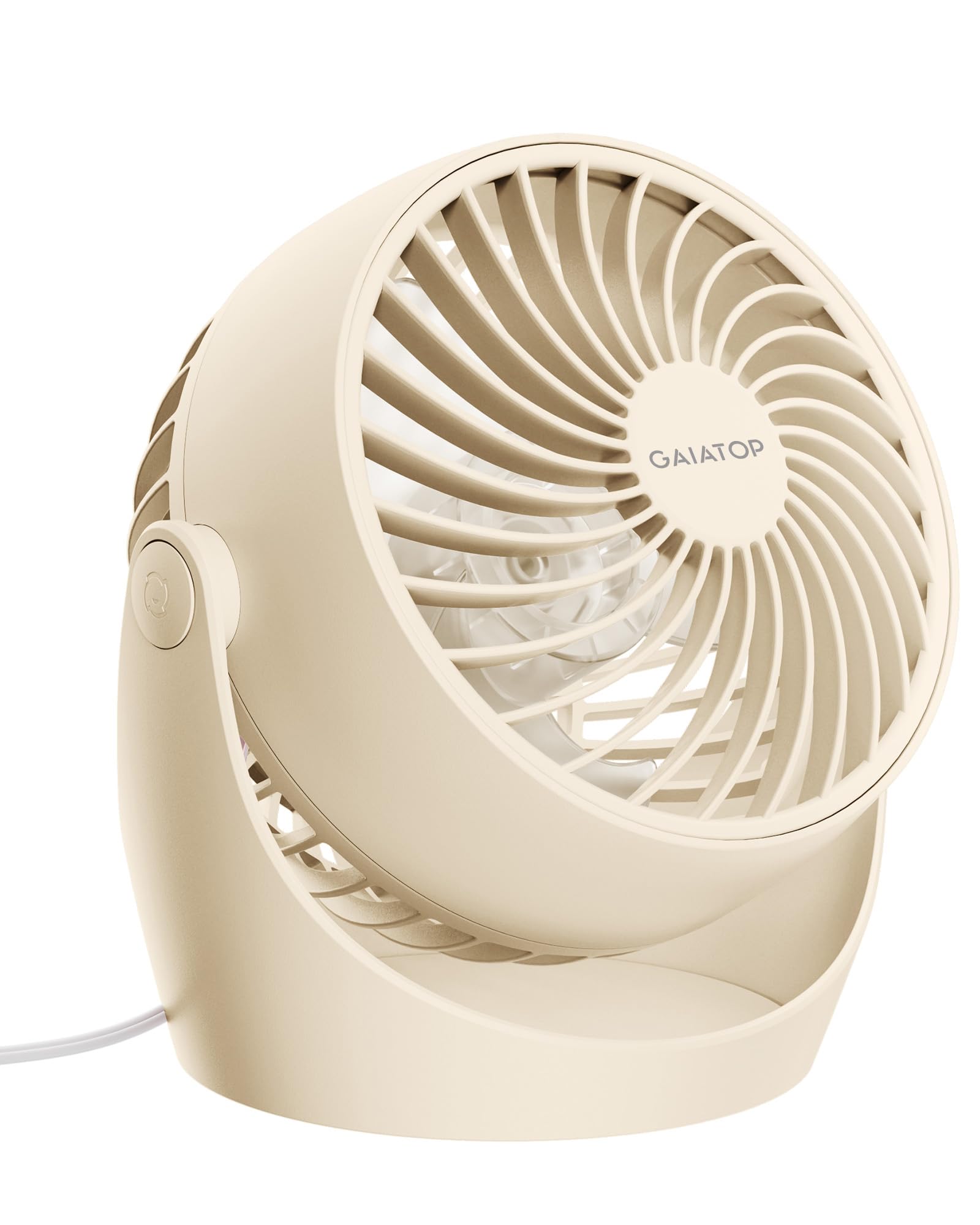
- AC power and a 4.92 ft cable suit a fixed desk or bedside position.
- Three speeds and 360° tilt offer airflow adjustment.
- The front cover detaches for blade and grille cleaning.
Best For: A home office or bedroom desk where quiet airflow and easy cleaning matter.

Gaiatop 5.5-Inch USB Desk Fan
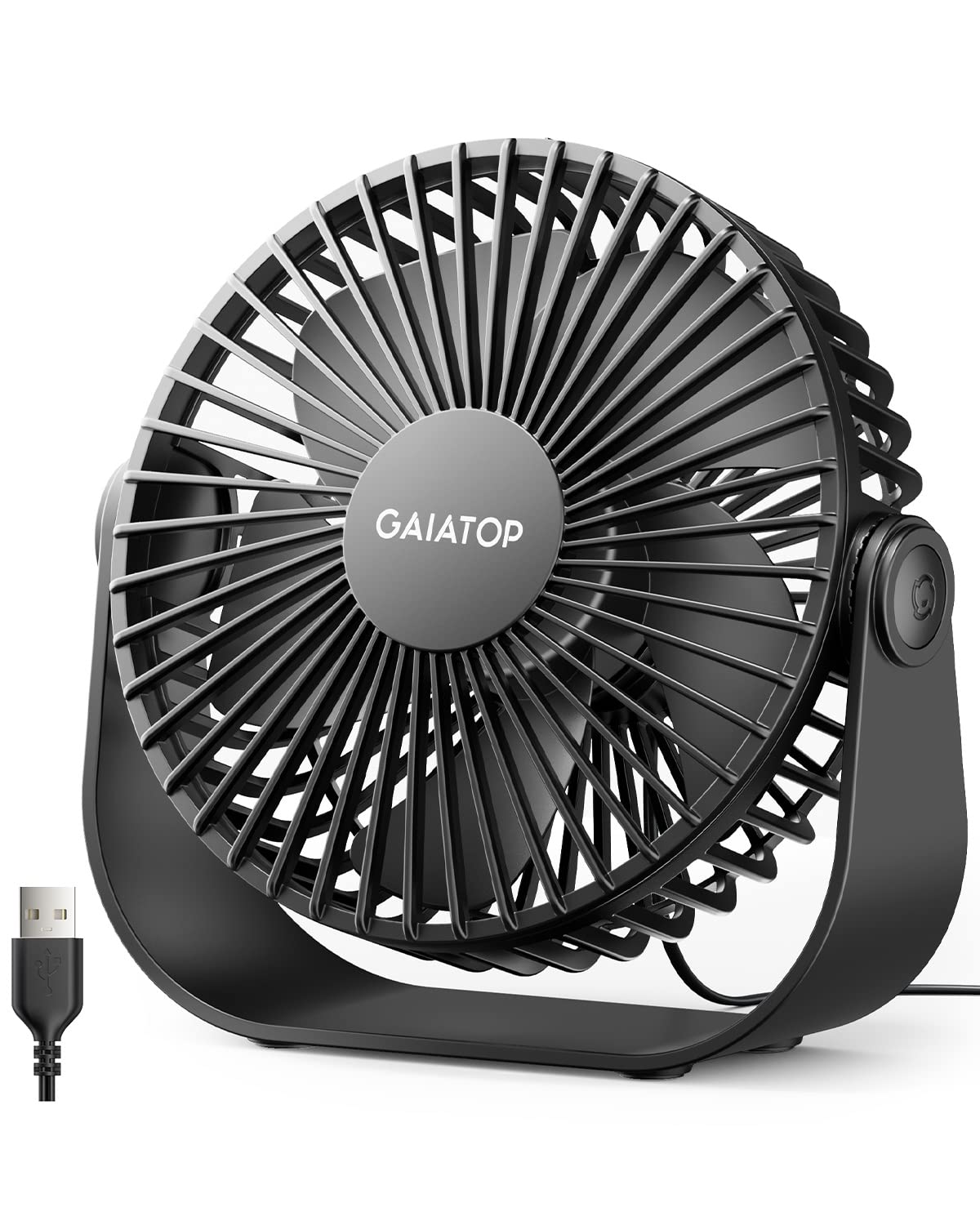
- USB power works with computers, power banks, and USB adapters.
- Three speeds include airflow up to 4.8m/s.
- The fan tilts 90° and has rubber pads on its base.
Best For: People who want a small USB fan with multiple speeds and a broad tilt range.
Gaiatop USB Desk Fan
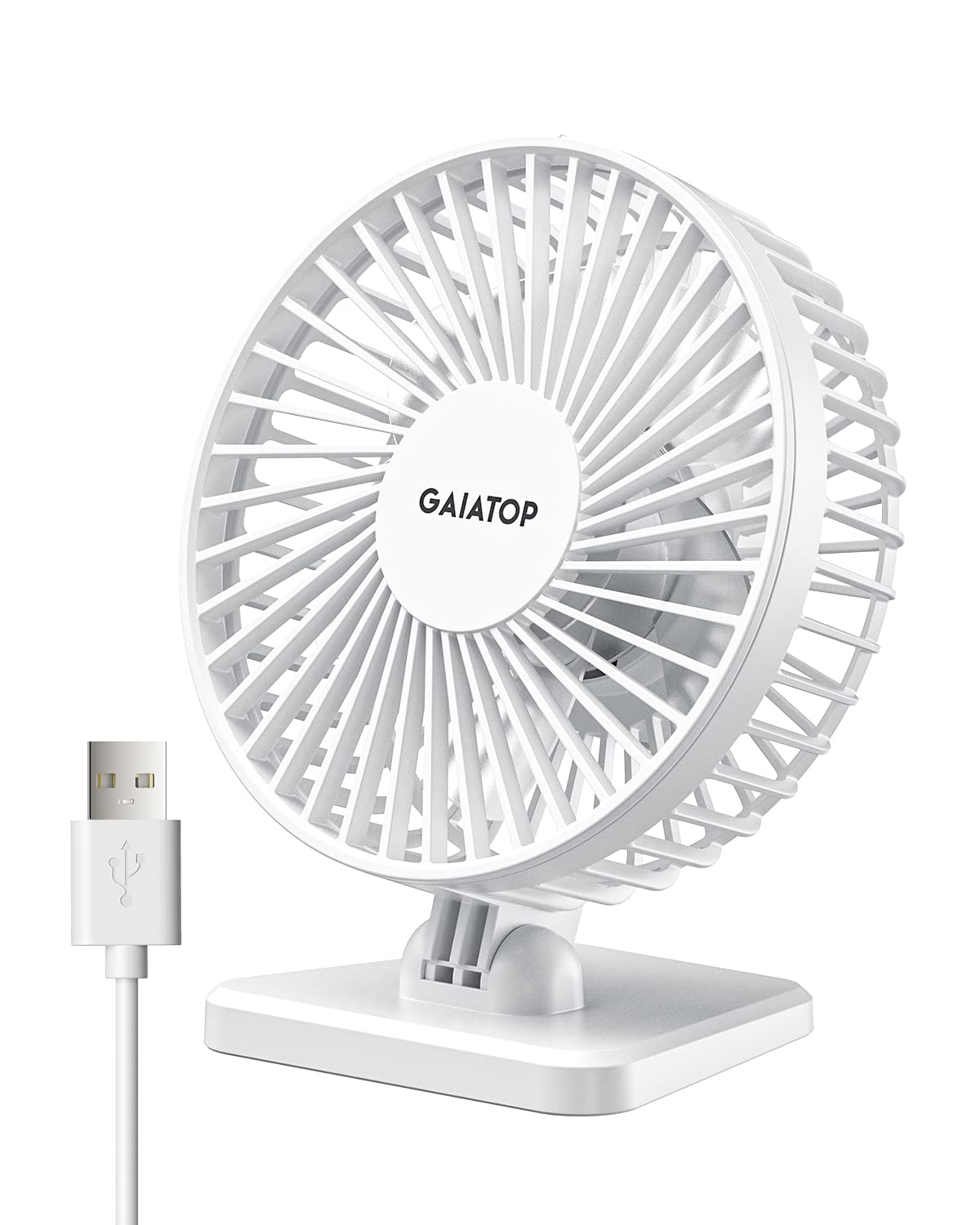
- It weighs less than 8 ounces and takes up little space.
- Three speed settings are controlled with the power button.
- It works with USB power sources including laptops and power banks.
Best For: A small desk or travel setup that needs a light, USB-powered fan.
Ausic 30000mAh Portable Fan
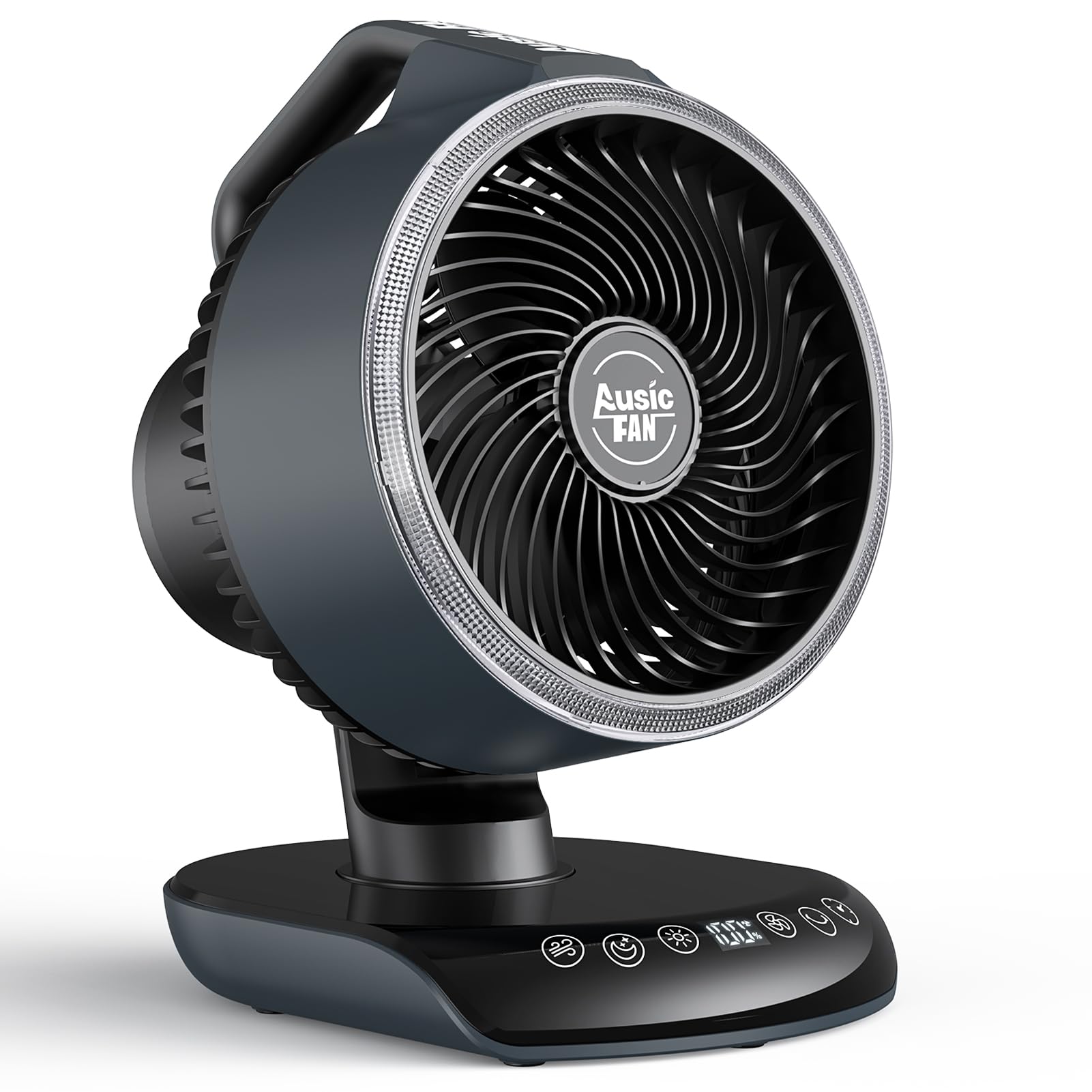
- A 30000mAh battery supports cordless use, with runtime varying by speed.
- Oscillation options and manual tilt help spread and direct airflow.
- The included remote controls fan settings and timer.
Best For: A desk or shared workspace that needs cordless placement, oscillation, and a remote.
Gaiatop Portable Clip-On Fan
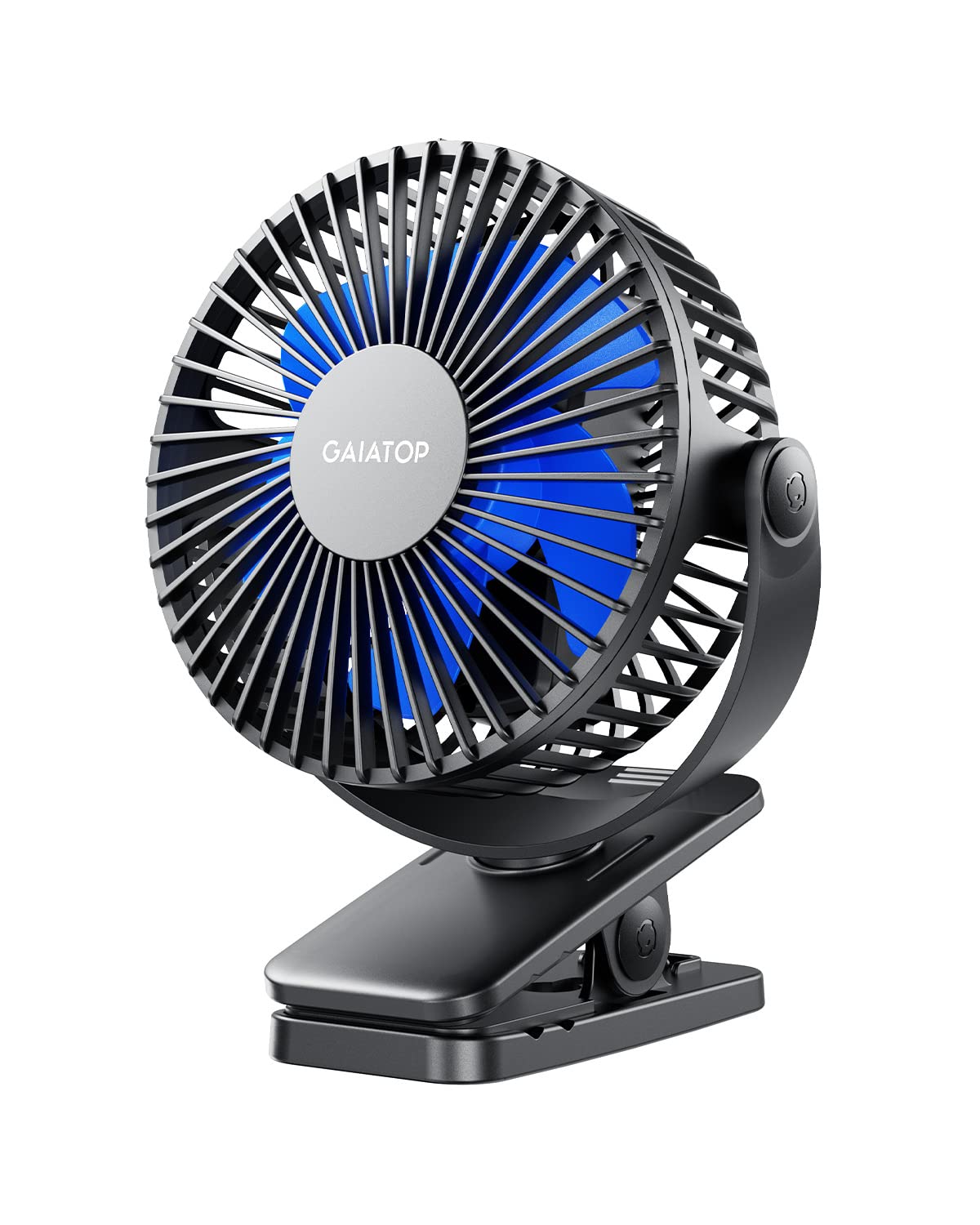
- The clip fits surfaces up to 1 inch thick.
- It has a 2000 mAh battery and can run while charging.
- The fan head rotates 360° horizontally and vertically.
Best For: A desk or workstation with limited surface area and a suitable edge for clamping.
Quiet AC-Powered Air Circulation
Gaiatop Desk Fan, 5-Inch Portable Electric Table Desktop Air Circulator Fans, Small but Powerful with 3 Speed 360° Adjustable Tilt for Cooling Home Dorm Office Bedroom Bathroom Kitchen, Beige
This compact AC-powered table fan is designed to move air around a desk or nearby room, with a 360° tilt for directing the breeze. Its three manual speeds and detachable front cover make it practical for everyday placement where access to a wall outlet is available.
The product notes give a 30dB noise figure and a maximum wind speed of 6.2 m/s, plus a 4.92 ft cable. It is heavier and less flexible to place than a USB-powered mini fan, so check that the cord can reach your intended spot before choosing it.
Best For: A home office or bedroom desk where quiet airflow and easy cleaning matter.
| Pros | Cons |
|---|---|
|
|
Choose this model for a regular desk where you want adjustable airflow and a fan that can tilt in any direction. The AC connection and 4.92 ft cord limit placement compared with USB models, but it avoids depending on a battery.
The front cover detaches for cleaning, which is useful when the fan will stay in daily use. Check outlet location, cord reach, and clearance around the fan before deciding where to place it.
USB Fan with Stable Tilted Positioning
Gaiatop USB Desk Fan, 3 Speeds Strong Airflow, 5.5 Inch Portable 90° Rotate Quiet Cooling, Small Personal Table Fans for Bedroom Home Office Travel Black
This 5.5-inch USB desk fan offers three airflow settings and tilts through 90° to aim air where it is needed. It can draw power from a PC, laptop, power bank, AC adapter, or car charger, making it easy to move between a desk and other USB-powered locations.
The product notes include a 4.9 ft cord and a 6.5 oz weight. Its base has rubber pads to limit slipping and vibration.
Unlike a battery-powered fan, it needs a connected power source while running, so consider cable routing and available USB ports.
Best For: People who want a small USB fan with multiple speeds and a broad tilt range.
| Pros | Cons |
|---|---|
|
|
This fan fits a desk where USB power is convenient and a 90° tilt can aim airflow without repositioning the whole unit. Its 4.9 ft cable gives some room to route power, while the rubber-padded base is intended to resist slipping.
It is a practical middle ground between a tiny personal fan and a larger AC table fan. Check whether your desk has a suitable USB power source and whether a fixed direction meets your needs.
Ultra-Light USB Personal Cooling
Gaiatop USB Desk Fan, Small But Powerful, Personal Portable Quiet 3 Speeds, Adjustable Mini Table Desktop fan for Cooling Home Office Car Summer Travel Gifts White
This compact USB desk fan weighs less than 8 ounces and uses three speeds to adjust its airflow. The fan head rotates vertically from 0 to 30 degrees, so it can be angled toward a seated user, though the adjustment range is narrower than on some table fans.
It draws power from USB-compatible sources such as a laptop, power bank, adapter, or car charger. The notes give a noise figure of less than 50dB.
Its small footprint makes it convenient for crowded work surfaces, but it needs a USB power source while operating.
Best For: A small desk or travel setup that needs a light, USB-powered fan.
| Pros | Cons |
|---|---|
|
|
Consider this model when desk space and easy transport matter more than broad airflow adjustment. Its under-8-ounce weight and USB compatibility suit a small workstation, car, or travel setup.
The 0-to-30-degree vertical range can direct air toward one seated position, but it offers less angle flexibility than fans with larger tilt ranges. Make sure your preferred USB source can stay connected, and check whether the limited angle points airflow where you need it.
Cordless Fan for Wider Workspace Coverage
Ausic 30000mAh Portable Fan Rechargeable, Powerful Indoor & Outdoor Battery Powered Fan, Oscillating Fan with Remote & Turbo Blade, Quiet Desk Fan for Home, Patio, Sports, Camping, Beach
The Ausic is a larger battery-powered fan for desks and nearby rooms, with a 30000mAh battery and a stated 17–80 hours of runtime depending on speed. Horizontal oscillation can be set to 60° or 120°, and the fan has a 90° manual vertical tilt.
Its remote controls speed, oscillation, timer, and modes, while an adjustable warm light adds bedside or camping utility. This feature set takes more space than a personal desk fan.
Consider it if outlet-free placement and wider coverage matter, and check available surface space before buying.
Best For: A desk or shared workspace that needs cordless placement, oscillation, and a remote.
| Pros | Cons |
|---|---|
|
|
Choose the Ausic when you want cordless placement and oscillation across a broader workspace, or need to move the fan between rooms and outdoor settings. The remote, timer, and warm light add controls beyond a basic desk fan.
Battery runtime depends on speed, so use the range as a guide rather than assuming the longest figure at every setting. Because dimensions are not provided in the notes, check the product size before reserving a desk or bedside spot.
Clip-On Fan for Edge-Mounted Placement
Gaiatop Portable Clip on Fan Battery Operated, Small Powerful 3 Speed Quiet 360° Rotate, USB Rechargeable Mini Personal Cooling Fan for Desk Table Home Office Stroller Camping Women Gifts Black Blue
This rechargeable clip-on fan can attach to an edge up to 1 inch thick, freeing space on the desk surface. Its 2000 mAh battery is described as lasting 3.5, 6, or 10 hours depending on speed, and it can also run while charging.
The head rotates 360° horizontally and vertically, giving plenty of flexibility to aim airflow. The notes include a 5.5mm gap for the fan cover and describe a padded inner clamp.
Check that your furniture edge fits the clip, then consider whether you prefer clamped placement over a freestanding base.
Best For: A desk or workstation with limited surface area and a suitable edge for clamping.
| Pros | Cons |
|---|---|
|
|
This is a useful choice for a crowded desk, bunk, or stroller-style setup where a clamp can replace a freestanding base. Its broad head rotation lets you aim airflow from an edge, and the battery gives flexibility when a USB connection is not nearby.
The clamp's 1-inch limit is the key fit check; measure the intended edge and confirm it can hold a clip securely. Runtime also varies with speed, so plan charging around your preferred airflow setting.
How to Choose Desk Fans
How We Picked Desk Fans
We focused on products with a clear desk-use case: dedicated USB or AC table fans, a rechargeable fan with a stable desktop base, and a clamp model that can mount beside a workstation. That leaves out wearable neck coolers and pocket fans whose main purpose is personal cooling on the move.
The selected options cover different workspace needs. A fixed desk may suit an AC-powered fan with broad tilt, while a USB fan can share power with a laptop setup.
A clip-on model helps save surface space, and a battery fan with oscillation offers more flexible placement for a desk or nearby room.
Comparing Desk Fan Types
Power and placement make the biggest differences. The Gaiatop 5-Inch model uses an AC plug, while the two smaller Gaiatop desk fans draw USB power.
The Ausic has a large rechargeable battery for cordless placement, and the clip-on Gaiatop combines a battery with an edge-mounted design.
Airflow direction also varies. The compact USB Gaiatop has a 0–30° vertical angle, while the 5.5-inch USB fan tilts 90°.
The AC table model tilts 360° and has a removable front cover. The Ausic adds horizontal oscillation, and the clip fan rotates across both horizontal and vertical axes.
| Product | Standout features | Best for |
|---|---|---|
| Gaiatop 5-Inch Desk FanCheck Price |
| A home office or bedroom desk where quiet airflow and easy cleaning matter. |
| Gaiatop 5.5-Inch USB Desk FanCheck Price |
| People who want a small USB fan with multiple speeds and a broad tilt range. |
| Gaiatop USB Desk FanCheck Price |
| A small desk or travel setup that needs a light, USB-powered fan. |
| Ausic 30000mAh Portable FanCheck Price |
| A desk or shared workspace that needs cordless placement, oscillation, and a remote. |
| Gaiatop Portable Clip-On FanCheck Price |
| A desk or workstation with limited surface area and a suitable edge for clamping. |
Choosing a Desk Fan for Your Workspace
Start with the power source and the fan's home on your desk. If you have a free outlet and expect the fan to stay put, an AC model can be convenient.
For a computer workstation, USB power reduces the need for a separate wall adapter, though cable reach and available ports still matter.
Measure the surface or edge where the fan will go. Compact fans suit crowded desks, while larger models need enough room around their bases.
A clamp fan can leave the desktop clear, but its clip must fit the furniture edge. Check dimensions and cord length where those details affect your setup.
Airflow, Noise, and Maintenance
A fan that points directly at one person can work well at a single desk, while oscillation may help when airflow needs to reach a wider area. Tilt range matters if the fan sits below or above the desired airflow line.
Speed controls let you adapt the breeze, but published runtime for battery models changes with speed.
Noise figures are available for some products, but not all. If you work on calls or need a quiet sleeping area, review the specified noise level and choose a placement that does not put the fan close to a microphone or bed.
A removable grille can make cleaning easier; check whether the fan cover comes off before buying if regular blade cleaning is a priority.
Who Should Buy Which Desk Fan
Choose the AC-powered Gaiatop for a fixed desk where tilt, quieter operation, and a removable front cover are useful. Pick the USB Gaiatop 5.5-Inch model if you want stronger stated airflow and a 90° tilt from a computer or power bank connection.
The lightweight USB Gaiatop suits minimal setups where a small footprint matters.
For cordless coverage with remote controls and oscillation, consider the Ausic, after checking its dimensions for your workspace. Choose the rechargeable clip-on Gaiatop when desk space is limited and the edge fits its clamp.
Match the fan to your power source, available space, and the direction in which you need air to move.